While using Razl syncing couple of large content sub-trees under Sitecore this morning, it has prompted for below error after progressing for while.
Error 'The HTTP request to 'http://xxx.xxx/_CMP/RazlService.asmx' has exceeded the allotted timeout of 00:04:59.9990000. The time allotted to this operation may have been a portion of a longer timeout.' getting Sitecore items.
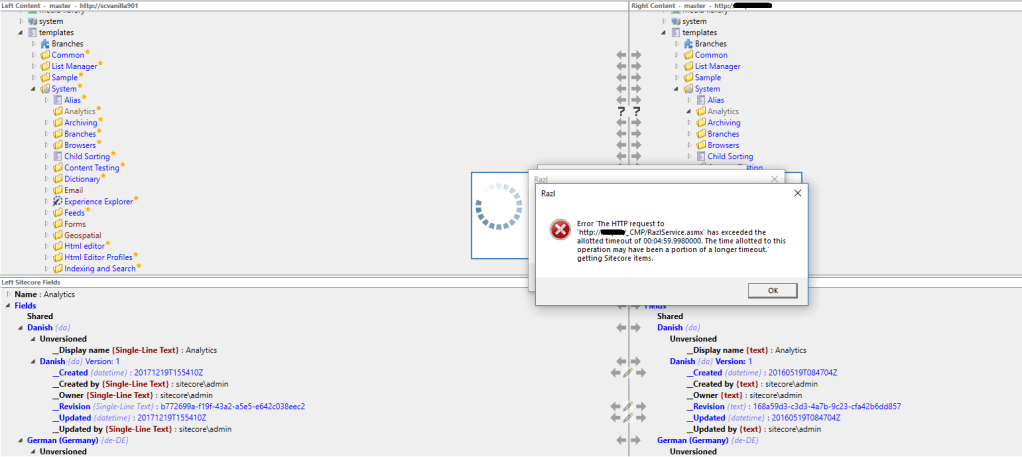
The fix for above issue is to increase timeout period for the http request to classic web service. After applying following fix, it has started working as expected.
- Navigate to the root folder of the website mentioned in above error message
- navigate to _CMP folder and open web.config file for editing
- Add following line to the web.config file under <system.web> node
<httpRuntime targetFramework="4.6.2" maxRequestLength="512000" executionTimeout="600" />- Save the web.config file
- Close all running instances of Razl
- Re-run Razl
Happy Content Sync, folks…!!!
 Cooking with Sitecore
Part of the reason this can happen is due to performance issues. For example, if custom event handlers are in play. Addressing those performance issues is another potential fix.
Marcel Gruber, Totally Agreed!